Email (remote)
Summary
Sends an email to one or more recipients through your email provider. If it doesn't reach everyone, Sentinel Circle sends it again — so some people may get the same message twice.
Best for: non-urgent alerts and keeping a record.
Details
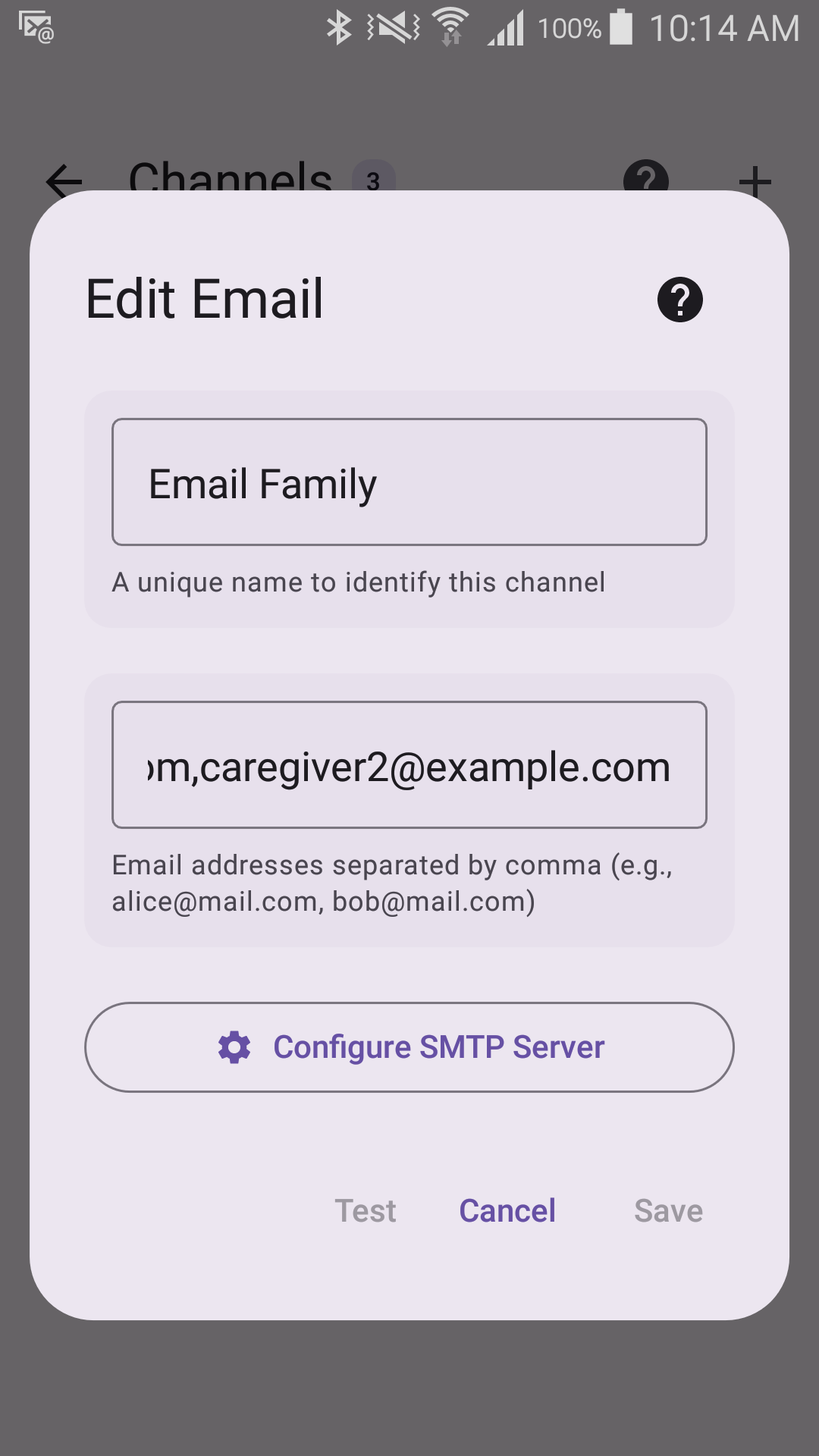
Options
- Recipients — one or more email addresses, separated by commas.
Tap Configure SMTP Server to enter the outgoing-mail settings:
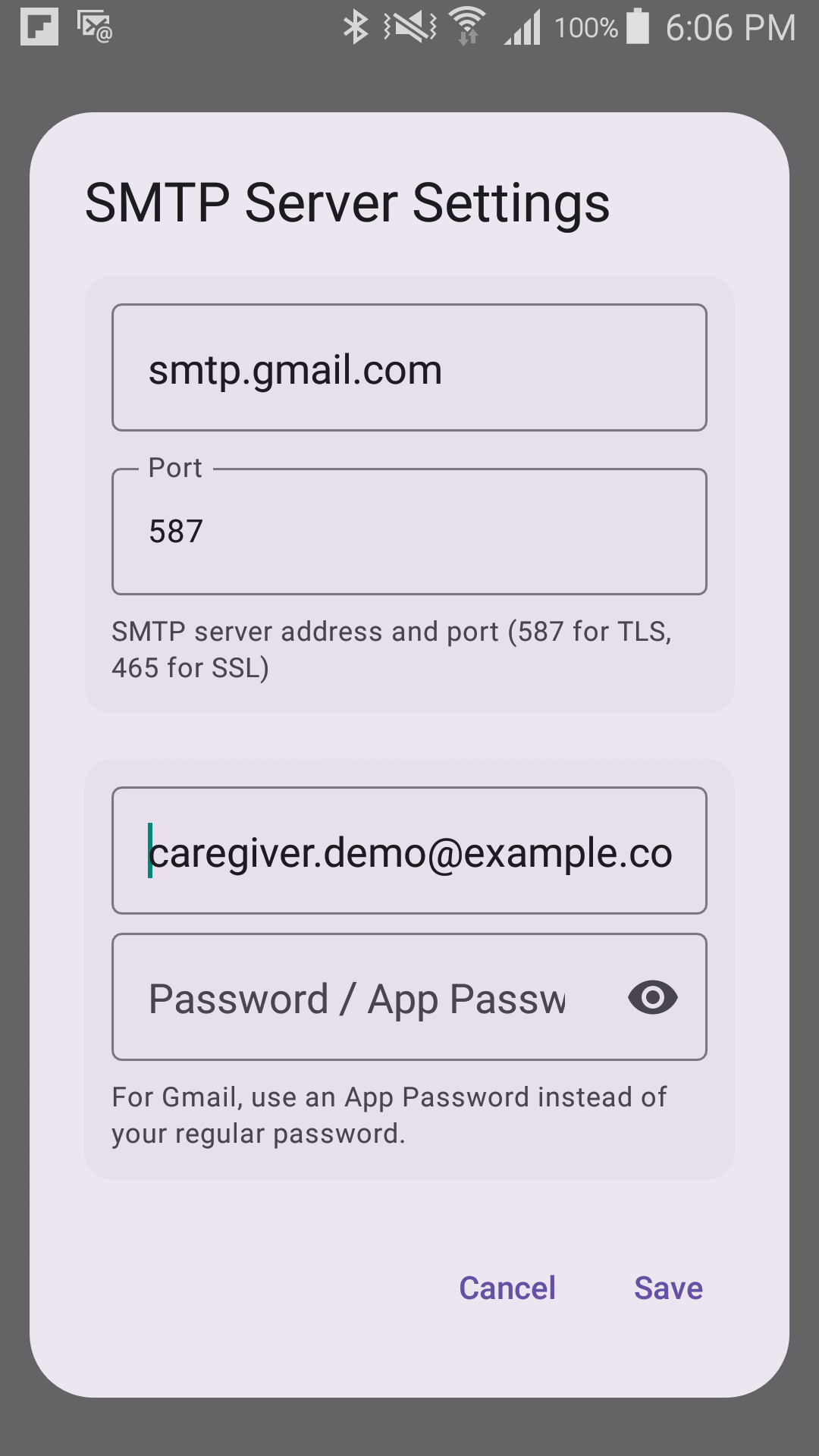
- SMTP Host — your email provider's outgoing server address (for Gmail:
smtp.gmail.com). - Port — 587 for TLS, 465 for SSL (default: 587 — see the note below).
- Username — the full email address the alert sends from.
- Password / App Password — see below. For Gmail, this is not your normal Gmail password.
The alert is sent from the account you log in with, so the SMTP username has to be the full
email address — a login name such as jondoe will not save. There is no separate from-address or
display-name field in the editor.
Getting a Gmail App Password
If this is a Gmail (or Google Workspace) account, typing the normal Gmail password will fail. Google requires a separate, 16-character App Password for apps like this one — it's not optional, and it's not the same password used to sign in to Gmail on a phone or in a browser.
- The Google account must have 2-Step Verification turned on first. If it isn't already, set it up at myaccount.google.com/security — App Passwords don't exist as an option until this is done.
- Go to myaccount.google.com/apppasswords and sign in again if asked.
- Type a name to remember it by — "Sentinel Circle" is fine — and select Create.
- Google shows a 16-character password in four groups of four letters (spaces don't matter). Copy it.
- Paste that — not the regular Gmail password — into the Password / App Password field above.
The same App Password also works for the Email sensor's incoming (IMAP) settings, if that's also a Gmail account.
Not in the editor
A few settings exist in the stored configuration but have no field on this screen, and can only arrive by importing a configuration file: CC and BCC recipients, a separate from-address and sender name, and the choice of secure connection. That last one matters: a channel created in the app keeps the default "upgrade to TLS" whatever port you type, so port 465 with direct TLS cannot be configured in the app — use your provider's port 587 (or equivalent) instead.
Requires
- An internet connection
- A working outgoing-mail server and login, where the username is a full email address
Tip
Email channels can also bridge two Sentinel Circle phones. Phone A notices the person left via Bluetooth and sends an email. Phone B's Email or Notification sensor picks that email up and shows an Alert Screen to the caregiver.