Text Message (remote)
Sends a text to one or more phone numbers using the device's SIM card (your normal texting rates apply). If it doesn't reach everyone, Sentinel Circle sends it again — so some people may get the same message twice.
Best for: reaching remote caregivers without needing an internet connection.
Details
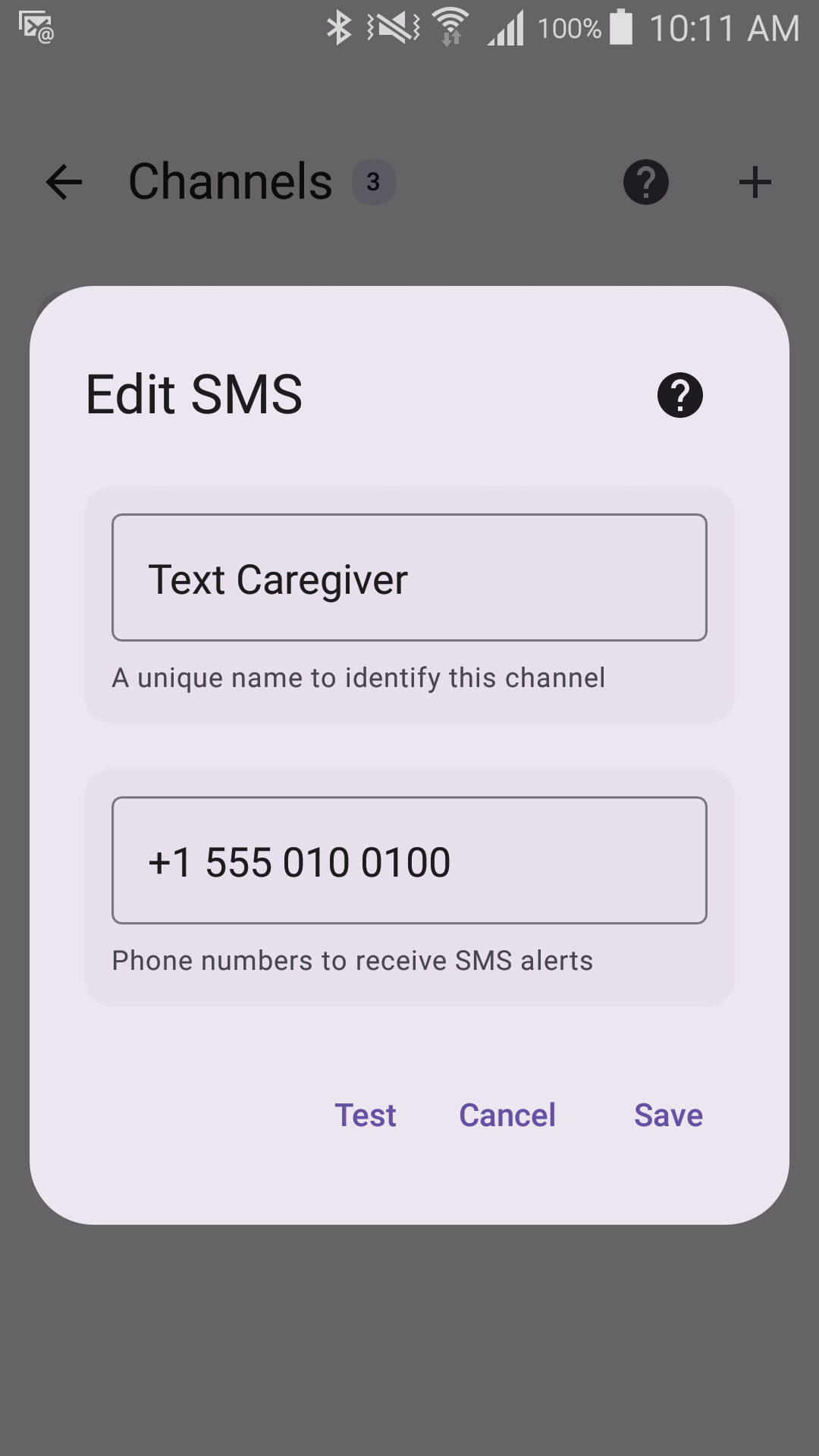
Options
- Multiple recipients, separated by commas or semicolons. A number listed twice gets one text.
Each number needs 7 to 15 digits. If a number is rejected, add its country code (for example +45). Emergency numbers (112, 911 and the like) can't be used — an automatic alert must not go to emergency services. When a number can't be saved, the reason is shown under the field.
The text of the alert belongs to the monitor, not to this channel: set the unsafe and safe messages when you edit the monitor, and every channel it uses sends the same wording.
Requires
- SMS permission
- An active SIM card that can send texts
On a phone with two SIM cards that asks which one to use each time, alerts are sent from the SIM used for calls (or, failing that, for mobile data) — nobody is there to answer the question.
When a text doesn't go out
The Event Log lists every number whose text wasn't confirmed as sent, with the reason — for example "no service", "radio off" or "not a usable phone number" — and Sentinel Circle tries again. A text that went out but whose confirmation never arrived can be sent twice.