WhatsApp (remote)
Experimental feature. Turn on "Experimental Features" in Application Settings to use this. Still being refined — behavior may change.
Summary
Opens WhatsApp for each recipient with the alert already written, then tries to tap Send for you.
Sentinel Circle cannot confirm the message was sent. It does not check that the tap landed, so a locked screen, a WhatsApp update that moves the Send button, or a slow chat screen can leave the message sitting unsent in the chat while Sentinel Circle records the alert as delivered — and nothing is retried. Treat WhatsApp as a helpful extra, not as the channel you rely on.
Best for: alerting people who use WhatsApp.
Details
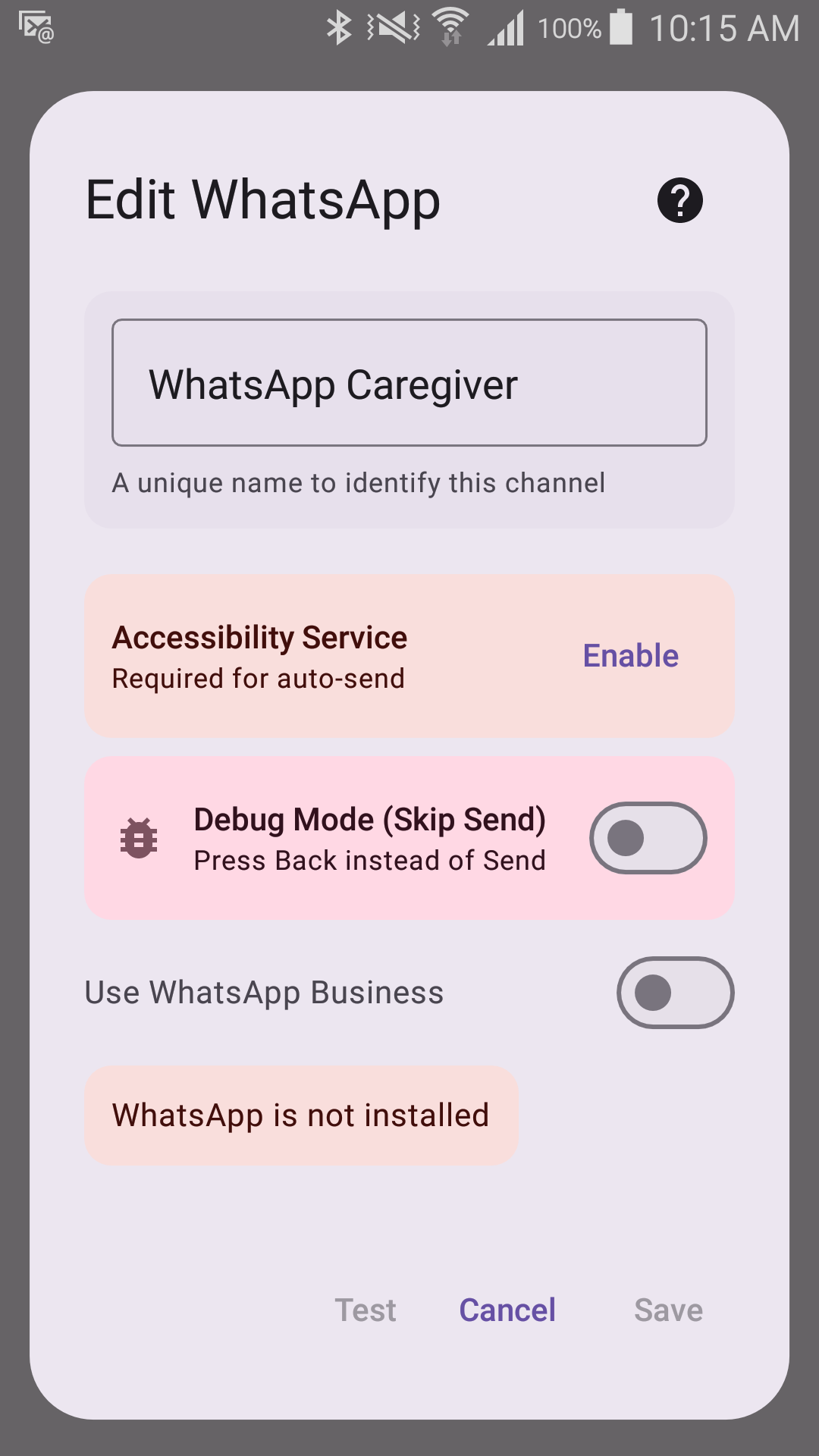
Options
- Multiple recipients (phone numbers, with optional names)
- Option to use WhatsApp Business instead
The time allowed per recipient is not something you set — it has no field in the editor and can only arrive by importing a configuration file.
Requires
- WhatsApp or WhatsApp Business installed
- Accessibility permission turned on for Sentinel Circle — needed so it can tap Send for you. This is a real Android permission grant, separate from the notification/location permissions the other channels need, and is what lets Sentinel Circle automate tapping Send inside WhatsApp on your behalf.