Sentinel Area Sensor
Experimental feature. Turn on "Experimental Features" in Application Settings to use this. Still being refined — behavior may change.
Summary
Alerts when a Wi-Fi network or Bluetooth device that was not present at startup appears nearby. Unlike every other sensor, you don't pick a specific target — Sentinel Area learns what's normal and flags anything new.
Details
How it works
When monitoring starts, the app spends a short learning period recording every Wi-Fi network and Bluetooth device it can see. Everything it finds counts as normal. After that, if a device appears that was not on that list and its signal is strong enough, the sensor reports it. The alert goes off the moment such a device is detected, with no waiting period, and clears once the device has gone undetected for the presence timeout.
Configuration
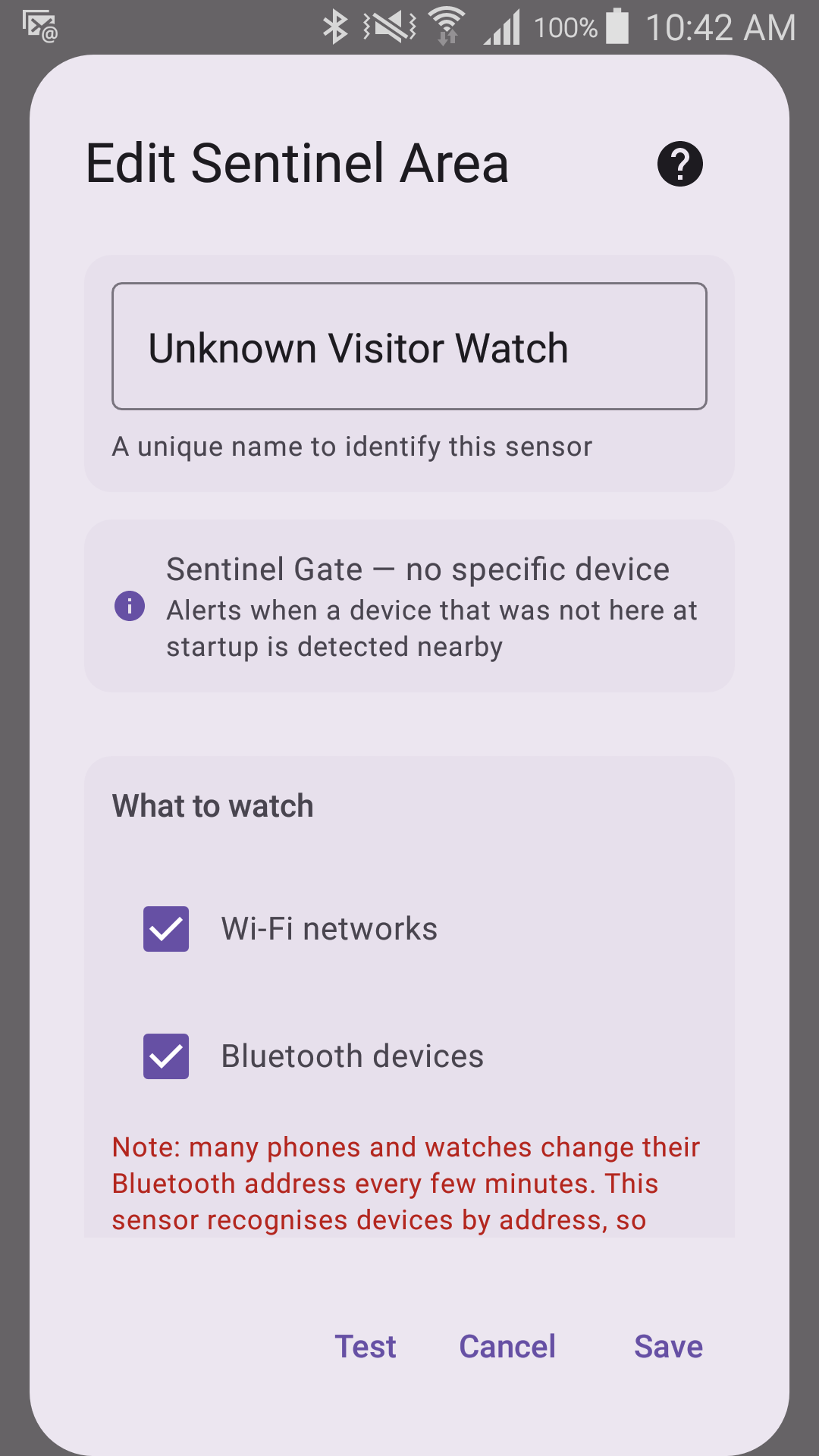
- Radios to watch — choose whether to watch Wi-Fi, Bluetooth, or both.
- Learning time (Advanced) — longer gives a more complete picture of what is normal.
- Minimum signal (Advanced) — how close a device must be to count.
Requires
- Wi-Fi and/or Bluetooth switched on, plus location permission for scanning.
Two things to expect
- The list of normal devices is learned fresh each time monitoring starts, and anything heard while a radio is still learning is added to it — not only what was there when you pressed Start. Learning runs for at least the learning time you set and can take up to about 15 minutes if a radio is slow to deliver results, and a radio that was switched off and comes back learns again on its own. Someone who arrives during that window is recorded as normal and will never raise an alert in that session.
- Many phones and watches change their Bluetooth address every few minutes, which can make a device that never left look new again.
Sentinel Area always works in Sentinel Gate Mode — it alerts when an unrecognized device appears, never on something disappearing. See Trigger Direction.