Sensors Overview
Summary
Sensors are how Sentinel Circle notices something has changed near this phone. Each type watches for a different kind of clue — a Wi-Fi network coming or going, a Bluetooth beacon, an email, a notification, or an unrecognized device nearby. Every sensor is always in one of three states:
- Unknown — Sentinel Circle hasn't figured out the sensor's state yet (normal right after you start monitoring).
- Safe — the watched condition holds.
- Unsafe — the watched condition doesn't hold, which is what raises an alert.
Details
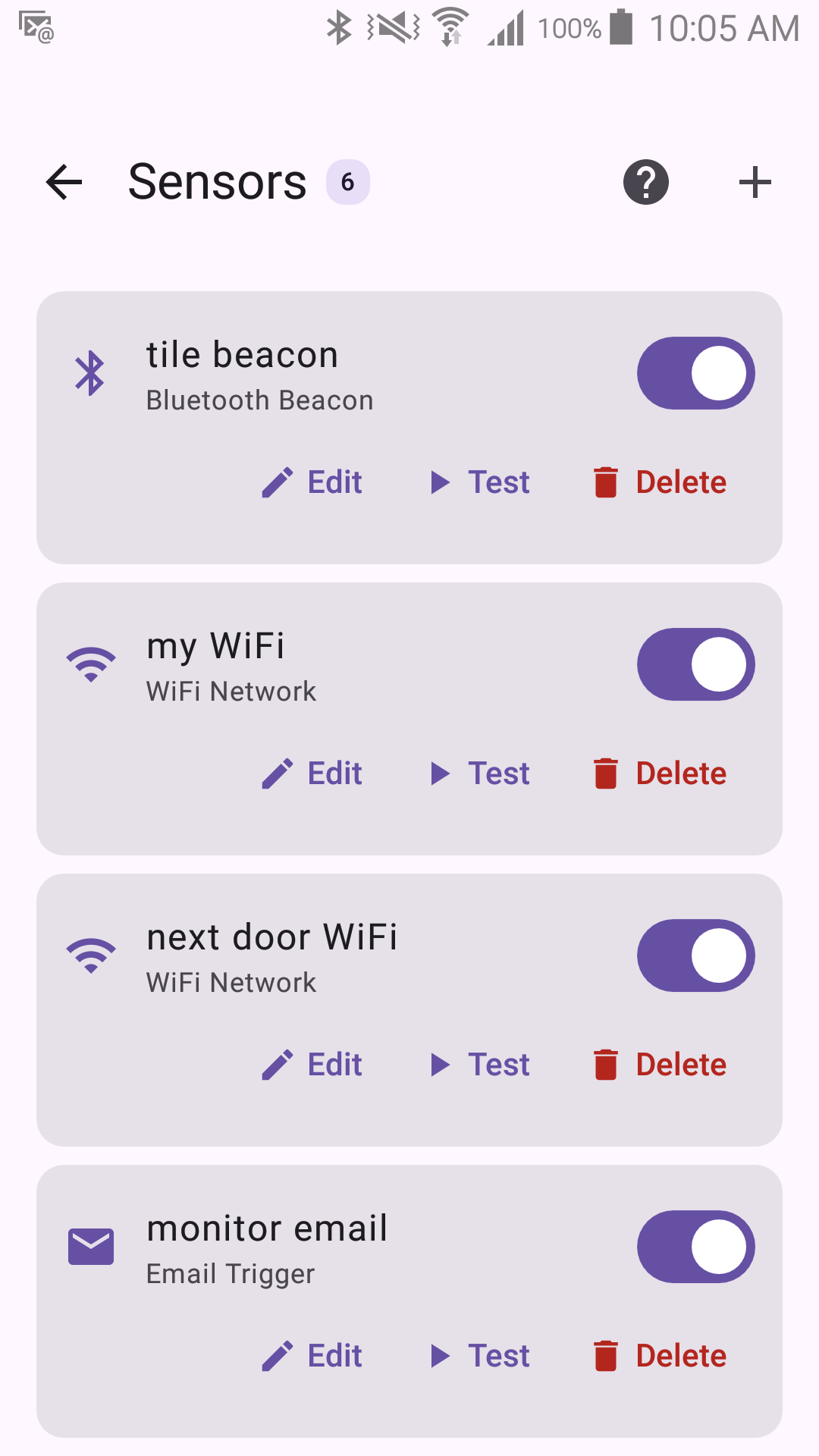
Sentinel Circle currently supports five working sensor types, described on their own pages:
- Wi-Fi Network
- Bluetooth Beacon
- Email Trigger
- Notification Trigger (Experimental)
- Sentinel Area (Experimental)
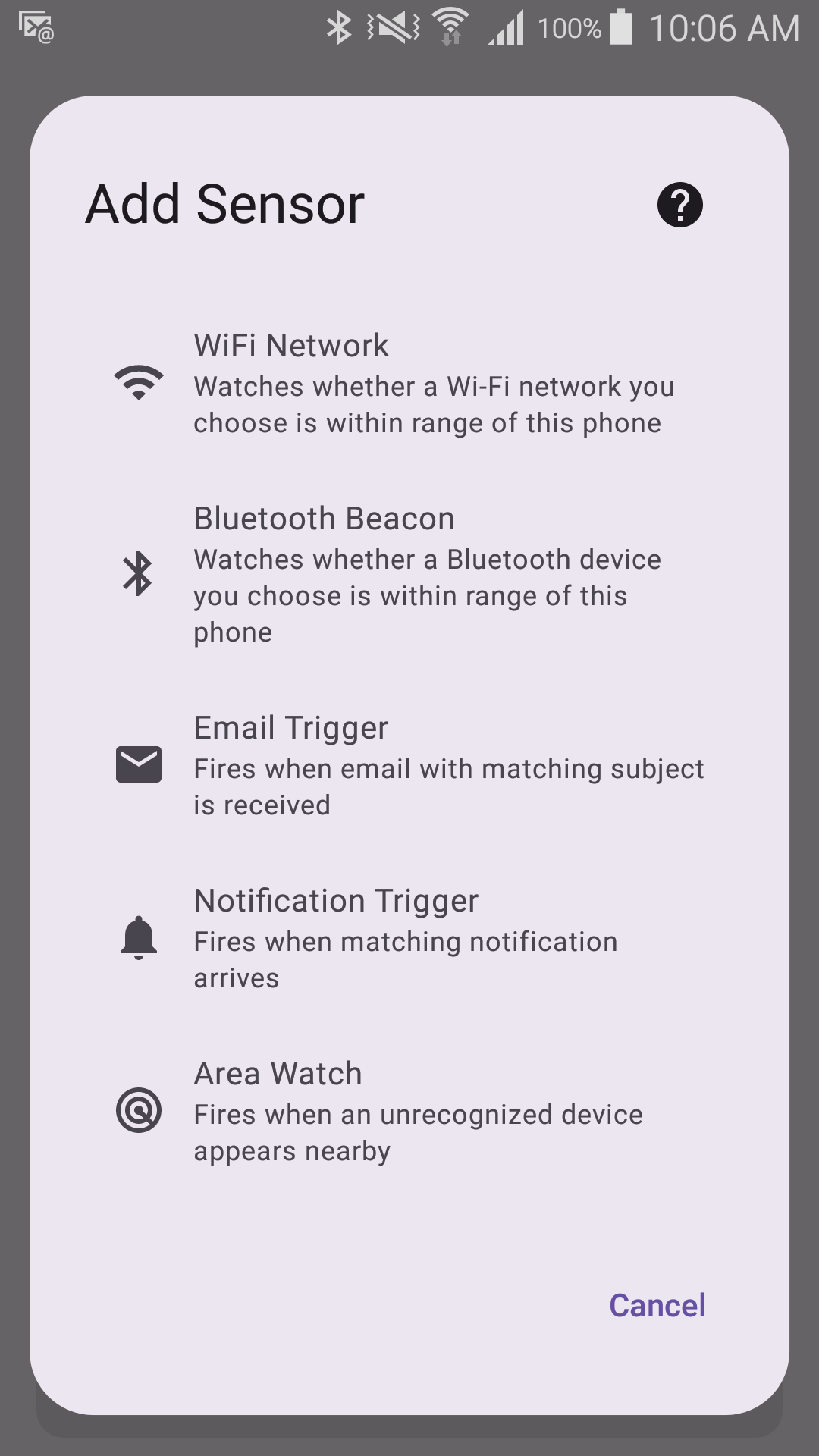
Captured with Experimental Features turned on in Application Settings. With it off, the Notification Trigger and Sentinel Area entries are not in this list at all.
Three ideas apply across every sensor and are worth understanding on their own:
- Testing — every sensor has a Test button; test each one before you rely on it, and see whether you're testing an unsaved draft or the saved configuration.
- Debounce — how Sentinel Circle avoids false alarms from a brief signal blip.
- Trigger Direction — whether a sensor alerts when something disappears (Sentinel Circle Mode) or when something appears (Sentinel Gate Mode).
A sensor only ever describes what it can see from this phone. It can't tell you which side actually moved — see the caveat on the Trigger Direction page.