Wi-Fi Sensor
Summary
Fires an alert when the phone can no longer see your chosen Wi-Fi network — usually a sign the person has left home. You pick the network by name (SSID); everything else is automatic.
Details
How it works
Sentinel Circle scans for your network every few seconds. "Seen" means the network shows up in that scan — the phone never has to be connected to it, and the name is matched ignoring capitals and any spaces at the start or end. If the network hasn't shown up for about 15 seconds, Sentinel Circle starts treating it as gone.
If Wi-Fi is switched off
Switching Wi-Fi off does not raise an alert. With the radio off Sentinel Circle has no information at all: it cannot tell "the network is out of range" from "I cannot look". So it holds the last state it was sure of, and neither an alert nor an all-clear follows until Wi-Fi is back on.
The sensor's row on the main screen reports the fault instead, so it is worth glancing at the Sensors view now and then. It also means Wi-Fi is not a way to test the sensor: to see it work, carry the phone out of range of the network, or switch the router off.
Configuration
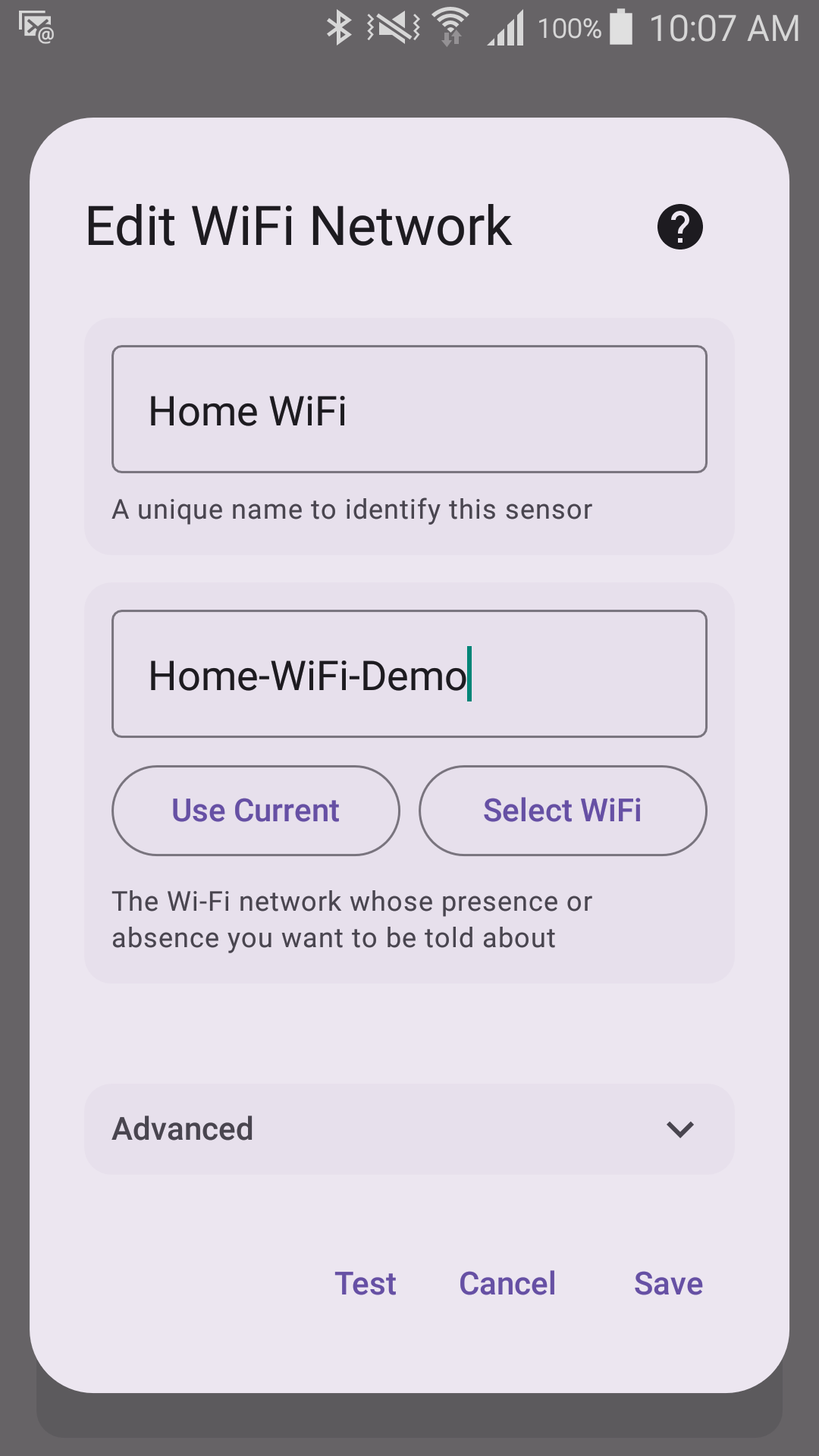
- Network name (SSID) — the name of your home Wi-Fi network (required).
- Debounce Settings — Debouncing waits and double-checks before alerting; No Debouncing alerts as soon as Sentinel Circle can trust the reading. See Debounce for the full explanation.
- Alert delay — the time from the network last being seen to the alert (default: 90 seconds, only shown with Debouncing on). It is an end-to-end budget, not an extra wait: being sure takes about 15 seconds for Wi-Fi, and that is counted inside the number you set.
Requires
- Location permission — Android will not return Wi-Fi scan results without it. On Android 9 and newer the location switch must also be on, on Android 10 and newer the permission must be the precise kind (an "approximate" grant sees no networks), and on Android 13 and newer Sentinel Circle also asks for the "nearby Wi-Fi devices" permission.
- Wi-Fi turned on.
Trigger direction
By default this sensor alerts when the network disappears (Sentinel Circle Mode — "the person should normally be nearby"). It can be switched to alert when the network appears instead (Sentinel Gate Mode). See Trigger Direction for examples of each.