Display Settings
Summary
How Sentinel Circle looks: the language of its interface, the light or dark theme, whether it borrows your phone's colors, and whether its screens rotate.
Details
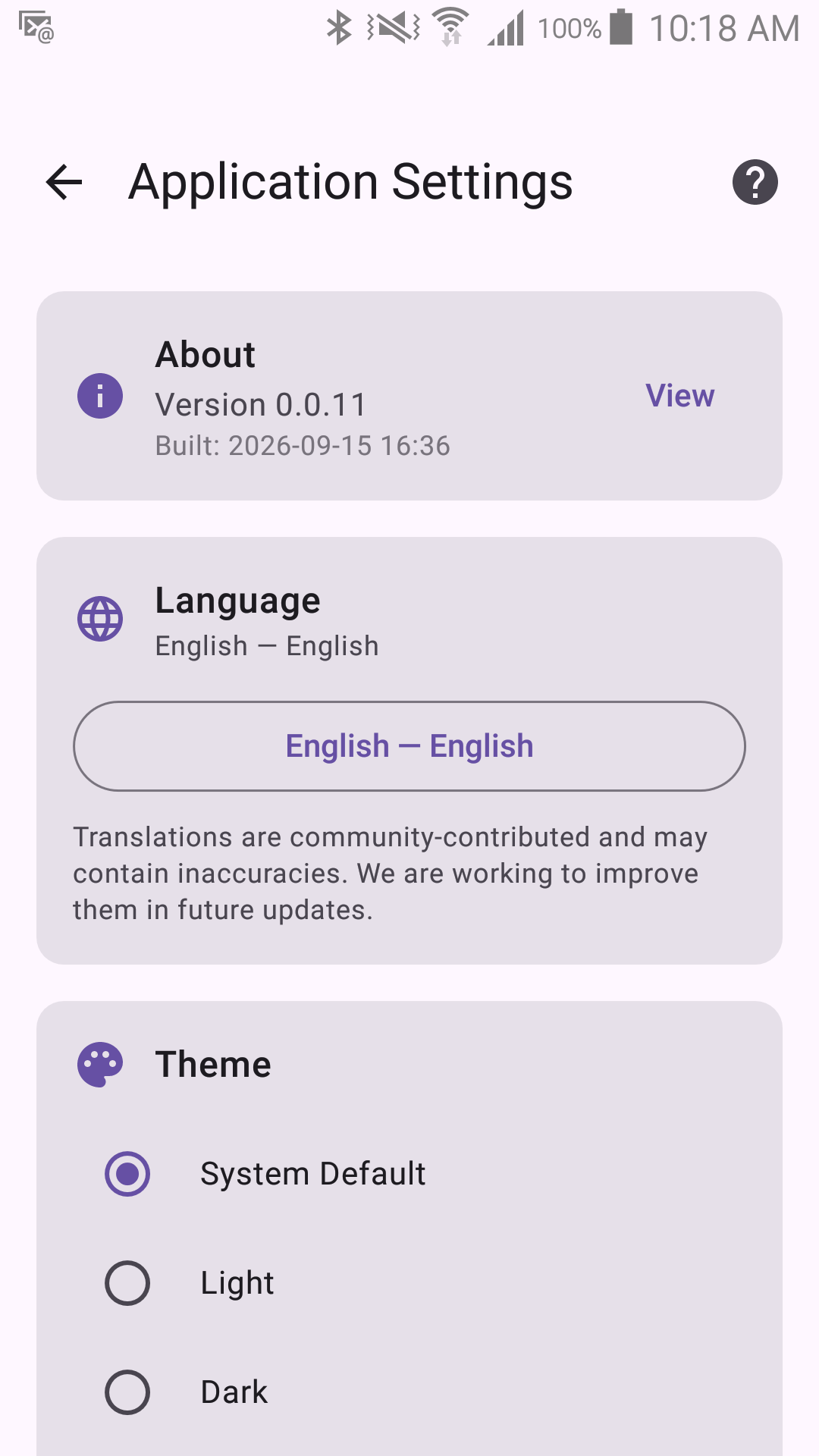
Language
Sentinel Circle is available in English, German, Spanish, Finnish, French, Hungarian, Italian, Japanese, Korean, Dutch, Polish, Portuguese, Romanian, and Chinese (Simplified).
Until you choose one here, Sentinel Circle follows your phone's language — if your phone is set to one of the languages above, that is what you will see, and English is the fallback for anything else. The selector shows the language actually in use, so you can tell at a glance which one you have. Choosing one here changes it for Sentinel Circle only; it does not affect your phone's system language.
The first entry in the list is Device language, with the language it currently resolves to shown beside it. Picking that is the way back to following the phone once you have chosen a specific language.
Translations are community-contributed, and the app says so under the selector.
Theme
Switches between a light and a dark color scheme. This is purely cosmetic and has no effect on monitoring behavior.
Use device colors
On Android 12 and newer, Sentinel Circle can take its accent colors from your phone's wallpaper ("Material You"). Turn it off to keep Sentinel Circle's own palette. On older phones the switch is shown but cannot be turned on, because the colors do not exist there.
Display Rotation
Controls whether Sentinel Circle's screens follow the phone as it is turned, or stay in one orientation. Useful for a monitoring phone propped up in a stand.