Tiers & Upgrading
Summary
Sentinel Circle has two tiers: Free (the 90-day trial, limited to a small number of active items) and Standard (a one-time purchase, no limits). Upgrading is a single purchase, not a subscription — you pay once and keep it permanently.
Details
Free Trial
- Up to 3 sensors, 2 channels, and 1 monitor enabled at a time.
- This limit is on enabled items, not total items — you can always add more than your limit, the extra ones just start out disabled until you either free up a slot or upgrade.
- See The Free Trial for what happens as the 90 days run out.
Standard Tier
Upgrading removes all limits: unlimited sensors, unlimited channels, unlimited monitors. It's a one-time purchase, not a subscription — you pay once and keep the tier permanently, with no recurring charge.
How to Upgrade
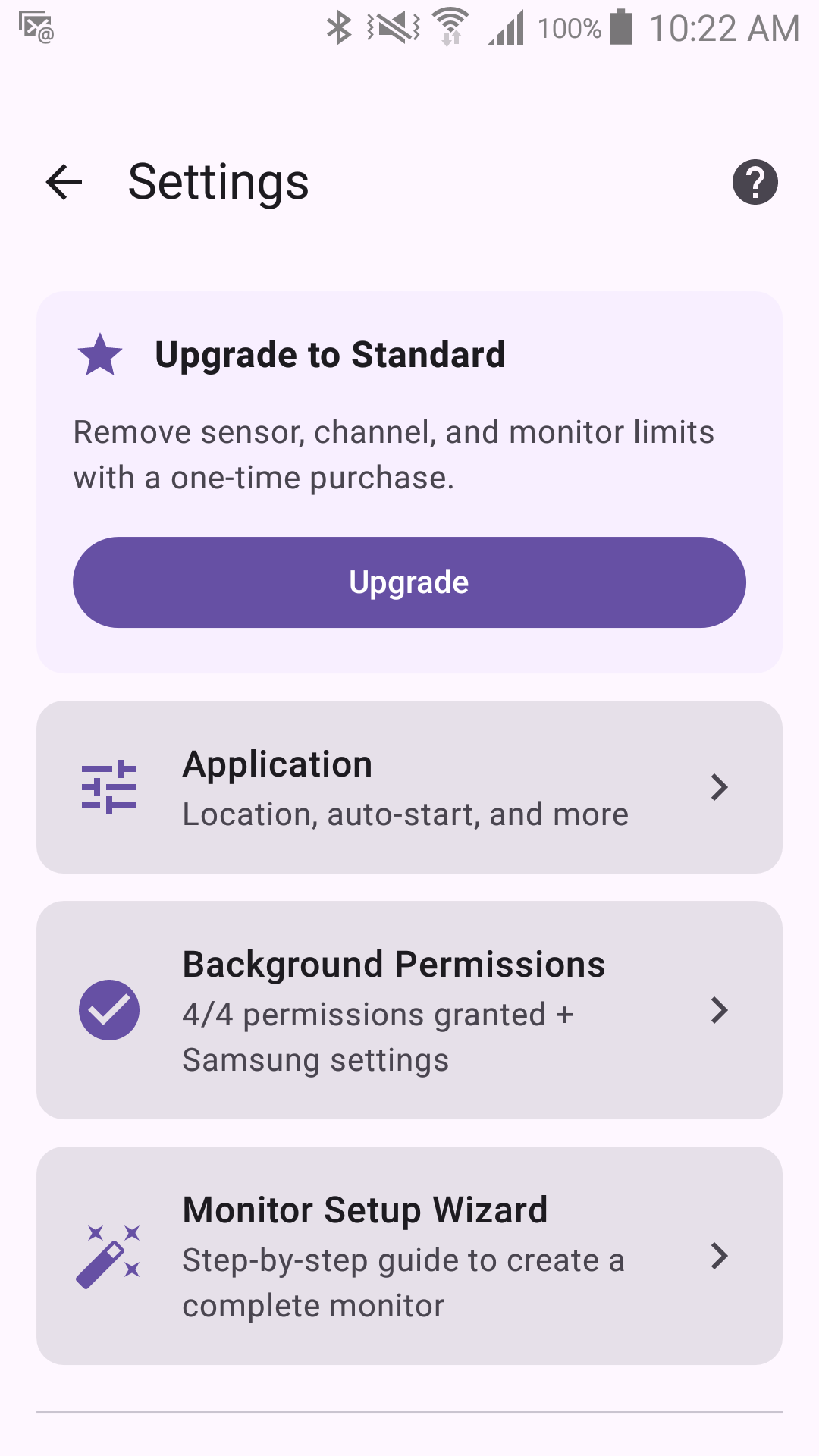
- Go to Settings (gear icon on the Status screen).
- Tap the "Upgrade to Standard" card at the top.
- The Google Play Store purchase screen opens — review the price and confirm.
- After purchase, all limits are lifted immediately, and you can enable any previously disabled sensors, channels, or monitors.
About Payment
Sentinel Circle does not process payments directly. When you tap Upgrade, the Google Play Store handles the entire transaction — your payment method, pricing, receipts, and refunds are all managed by Google, not by this app. If you reinstall the app or switch devices, your purchase is automatically restored through your Google account — there's no separate "Restore Purchase" button to look for, and no need to buy again.